“Client employee” dialog
Open it with  in the employee list of the client file.
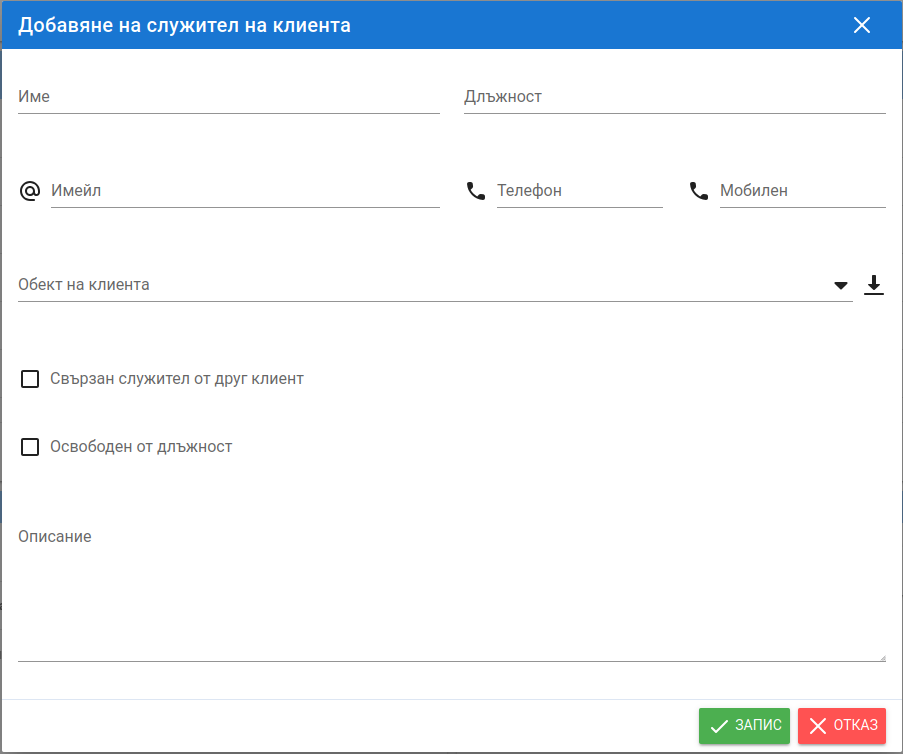
| Field | Description |
|---|---|
| Name | The employee's name. |
| Job position | Free text. |
| Also used when granting access to the system. | |
| Client site | If the employee is associated with a specific client site. The “Monitoring – Office” access role is tied to the selected site. |
| Linked employee from another client | When the same person serves several of your clients. Select the already entered employee they are linked to, so that the system recognizes them. Ideally, link all related employees to one main employee – the main employee's user access applies to all linked employees. |
| Dismissed | Select this when the employee leaves. The system stops notifying them of changes. Also remove their user access, if they have any. |